Buying guide
Docks with Built-In Storage
Our pick
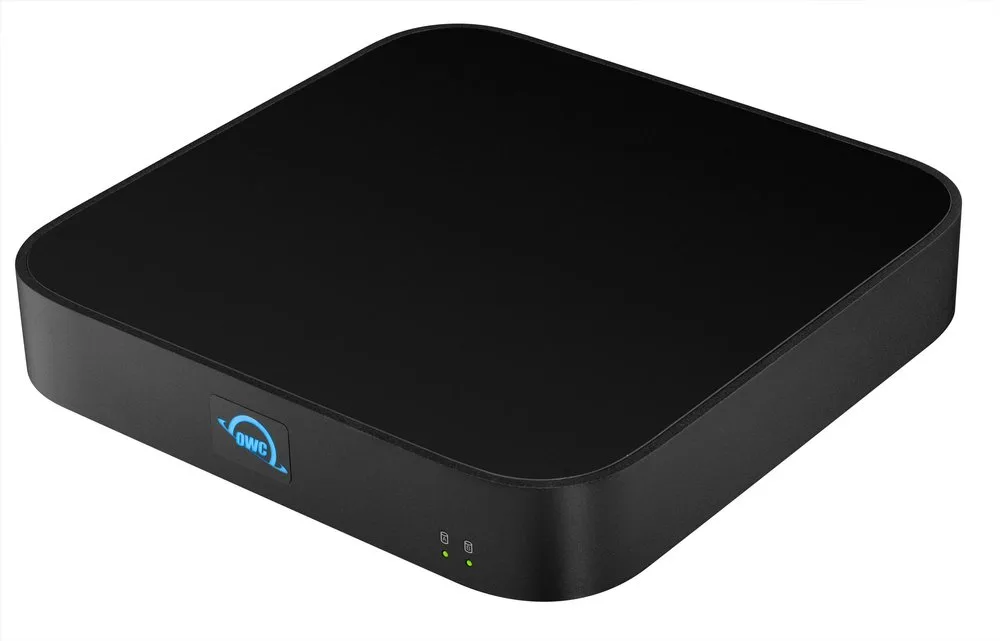
OWC miniStack STX 2TB NVMe Matte Black
Before you buy: The supplied adapter needs an outlet, and adding a SATA drive requires a screwdriver. A USB host cannot access the NVMe SSD.23
The alternatives
Other contenders
OWC miniStack STX 2TB HDD + 2TB NVMe Matte Black
Choose the 2TB HDD + 2TB SSD package if you want both drive types included from the start. Both drive positions are occupied, so it leaves no empty bay for another drive.34
OWC miniStack STX 4TB HDD Matte Black
Choose the 4TB HDD package for larger archives, especially with a USB-only computer. Its SATA hard drive works over USB; the additional ports then provide USB connectivity rather than Thunderbolt.235
Compare the options
4 products
Compare models side by side
Choose two or three products to compare.
Models in this comparison
Every specification for these products
| Specification | OWC miniStack STX 2TB NVMe Matte Black | OWC miniStack STX 1TB NVMe Matte Black | OWC miniStack STX 2TB HDD + 2TB NVMe Matte Black | OWC miniStack STX 4TB HDD Matte Black |
|---|---|---|---|---|
| Interface | Thunderbolt 4 (Host interface: NVMe SSD usage requires a Thunderbolt (USB-C) host connection with a compatible system running macOS 11.x or later. USB host connectivity provides SATA drive use only and limits additional miniStack STX ports to USB connectivity only.)2 | Thunderbolt 4 (Host interface: NVMe SSD usage requires a Thunderbolt (USB-C) host connection with a compatible system running macOS 11.x or later. USB host connectivity provides SATA drive use only and limits additional miniStack STX ports to USB connectivity only.)2 | Thunderbolt 4 (Host interface: NVMe SSD usage requires a Thunderbolt (USB-C) host connection with a compatible system running macOS 11.x or later. USB host connectivity provides SATA drive use only and limits additional miniStack STX ports to USB connectivity only.)2 | Thunderbolt 4 (Host interface: NVMe SSD usage requires a Thunderbolt (USB-C) host connection with a compatible system running macOS 11.x or later. USB host connectivity provides SATA drive use only and limits additional miniStack STX ports to USB connectivity only.)2 |
| Compatible drives | - (1) 2.5-inch or 3.5-inch SATA 6Gb/s SSD or HDD - (1) NVMe M.2 SSD 2280 (Host interface: NVMe SSD usage requires a Thunderbolt (USB-C) host connection with a compatible system running macOS 11.x or later. USB host connectivity provides SATA drive use only and limits additional miniStack STX ports to USB connectivity only.)3 | - (1) 2.5-inch or 3.5-inch SATA 6Gb/s SSD or HDD - (1) NVMe M.2 SSD 2280 (Host interface: NVMe SSD usage requires a Thunderbolt (USB-C) host connection with a compatible system running macOS 11.x or later. USB host connectivity provides SATA drive use only and limits additional miniStack STX ports to USB connectivity only.)3 | - (1) 2.5-inch or 3.5-inch SATA 6Gb/s SSD or HDD - (1) NVMe M.2 SSD 2280 (Host interface: NVMe SSD usage requires a Thunderbolt (USB-C) host connection with a compatible system running macOS 11.x or later. USB host connectivity provides SATA drive use only and limits additional miniStack STX ports to USB connectivity only.)3 | - (1) 2.5-inch or 3.5-inch SATA 6Gb/s SSD or HDD - (1) NVMe M.2 SSD 2280 (Host interface: NVMe SSD usage requires a Thunderbolt (USB-C) host connection with a compatible system running macOS 11.x or later. USB host connectivity provides SATA drive use only and limits additional miniStack STX ports to USB connectivity only.)3 |
| Enclosure type | Closed enclosure6 | Closed enclosure7 | Closed enclosure8 | Closed enclosure9 |
| Power source | AC powered3 | AC powered3 | AC powered3 | AC powered3 |
| Drive bays | 23 | 23 | 23 | 23 |
| Tool-free | No3 | No3 | No3 | No3 |
| Cooling | Active fan2 | Active fan2 | Active fan2 | Active fan2 |
| Extra ports | three Thunderbolt (USB-C) ports (Host interface: NVMe SSD usage requires a Thunderbolt (USB-C) host connection with a compatible system running macOS 11.x or later. USB host connectivity provides SATA drive use only and limits additional miniStack STX ports to USB connectivity only.)2 | three Thunderbolt (USB-C) ports (Host interface: NVMe SSD usage requires a Thunderbolt (USB-C) host connection with a compatible system running macOS 11.x or later. USB host connectivity provides SATA drive use only and limits additional miniStack STX ports to USB connectivity only.)2 | three Thunderbolt (USB-C) ports (Host interface: NVMe SSD usage requires a Thunderbolt (USB-C) host connection with a compatible system running macOS 11.x or later. USB host connectivity provides SATA drive use only and limits additional miniStack STX ports to USB connectivity only.)2 | three Thunderbolt (USB-C) ports (Host interface: NVMe SSD usage requires a Thunderbolt (USB-C) host connection with a compatible system running macOS 11.x or later. USB host connectivity provides SATA drive use only and limits additional miniStack STX ports to USB connectivity only.)2 |
| Warranty | 3 years (Tested configuration: OWC miniStack STX package bundled with a drive; empty enclosures have a one-year warranty.)3 | 3 years3 | 3 years (Tested configuration: OWC miniStack STX package bundled with a drive; empty enclosures have a one-year warranty.)3 | 3 years (Tested configuration: OWC miniStack STX package bundled with a drive; empty enclosures have a one-year warranty.)3 |
How they compare
Scroll the table to see every product and specification.
| Specification | Our pickOWC miniStack STX 2TB NVMe Matte Black | OWC miniStack STX 1TB NVMe Matte Black | OWC miniStack STX 2TB HDD + 2TB NVMe Matte Black | OWC miniStack STX 4TB HDD Matte Black |
|---|---|---|---|---|
| Interface | Thunderbolt 4 (Host interface: NVMe SSD usage requires a Thunderbolt (USB-C) host connection with a compatible system running macOS 11.x or later. USB host connectivity provides SATA drive use only and limits additional miniStack STX ports to USB connectivity only.)2 | Thunderbolt 4 (Host interface: NVMe SSD usage requires a Thunderbolt (USB-C) host connection with a compatible system running macOS 11.x or later. USB host connectivity provides SATA drive use only and limits additional miniStack STX ports to USB connectivity only.)2 | Thunderbolt 4 (Host interface: NVMe SSD usage requires a Thunderbolt (USB-C) host connection with a compatible system running macOS 11.x or later. USB host connectivity provides SATA drive use only and limits additional miniStack STX ports to USB connectivity only.)2 | Thunderbolt 4 (Host interface: NVMe SSD usage requires a Thunderbolt (USB-C) host connection with a compatible system running macOS 11.x or later. USB host connectivity provides SATA drive use only and limits additional miniStack STX ports to USB connectivity only.)2 |
| Compatible drives | - (1) 2.5-inch or 3.5-inch SATA 6Gb/s SSD or HDD - (1) NVMe M.2 SSD 2280 (Host interface: NVMe SSD usage requires a Thunderbolt (USB-C) host connection with a compatible system running macOS 11.x or later. USB host connectivity provides SATA drive use only and limits additional miniStack STX ports to USB connectivity only.)3 | - (1) 2.5-inch or 3.5-inch SATA 6Gb/s SSD or HDD - (1) NVMe M.2 SSD 2280 (Host interface: NVMe SSD usage requires a Thunderbolt (USB-C) host connection with a compatible system running macOS 11.x or later. USB host connectivity provides SATA drive use only and limits additional miniStack STX ports to USB connectivity only.)3 | - (1) 2.5-inch or 3.5-inch SATA 6Gb/s SSD or HDD - (1) NVMe M.2 SSD 2280 (Host interface: NVMe SSD usage requires a Thunderbolt (USB-C) host connection with a compatible system running macOS 11.x or later. USB host connectivity provides SATA drive use only and limits additional miniStack STX ports to USB connectivity only.)3 | - (1) 2.5-inch or 3.5-inch SATA 6Gb/s SSD or HDD - (1) NVMe M.2 SSD 2280 (Host interface: NVMe SSD usage requires a Thunderbolt (USB-C) host connection with a compatible system running macOS 11.x or later. USB host connectivity provides SATA drive use only and limits additional miniStack STX ports to USB connectivity only.)3 |
| Enclosure type | Closed enclosure6 | Closed enclosure7 | Closed enclosure8 | Closed enclosure9 |
| Power source | AC powered3 | AC powered3 | AC powered3 | AC powered3 |
| Drive bays | 23 | 23 | 23 | 23 |
| Tool-free | No3 | No3 | No3 | No3 |
| Cooling | Active fan2 | Active fan2 | Active fan2 | Active fan2 |
| Extra ports | three Thunderbolt (USB-C) ports (Host interface: NVMe SSD usage requires a Thunderbolt (USB-C) host connection with a compatible system running macOS 11.x or later. USB host connectivity provides SATA drive use only and limits additional miniStack STX ports to USB connectivity only.)2 | three Thunderbolt (USB-C) ports (Host interface: NVMe SSD usage requires a Thunderbolt (USB-C) host connection with a compatible system running macOS 11.x or later. USB host connectivity provides SATA drive use only and limits additional miniStack STX ports to USB connectivity only.)2 | three Thunderbolt (USB-C) ports (Host interface: NVMe SSD usage requires a Thunderbolt (USB-C) host connection with a compatible system running macOS 11.x or later. USB host connectivity provides SATA drive use only and limits additional miniStack STX ports to USB connectivity only.)2 | three Thunderbolt (USB-C) ports (Host interface: NVMe SSD usage requires a Thunderbolt (USB-C) host connection with a compatible system running macOS 11.x or later. USB host connectivity provides SATA drive use only and limits additional miniStack STX ports to USB connectivity only.)2 |
| Warranty | 3 years (Tested configuration: OWC miniStack STX package bundled with a drive; empty enclosures have a one-year warranty.)3 | 3 years3 | 3 years (Tested configuration: OWC miniStack STX package bundled with a drive; empty enclosures have a one-year warranty.)3 | 3 years (Tested configuration: OWC miniStack STX package bundled with a drive; empty enclosures have a one-year warranty.)3 |