The alternatives
Other contenders
Choose the QNAP TR-004 for four SATA bays with built-in RAID control on a computer or supported NAS; check QNAP’s exclusions before buying.413
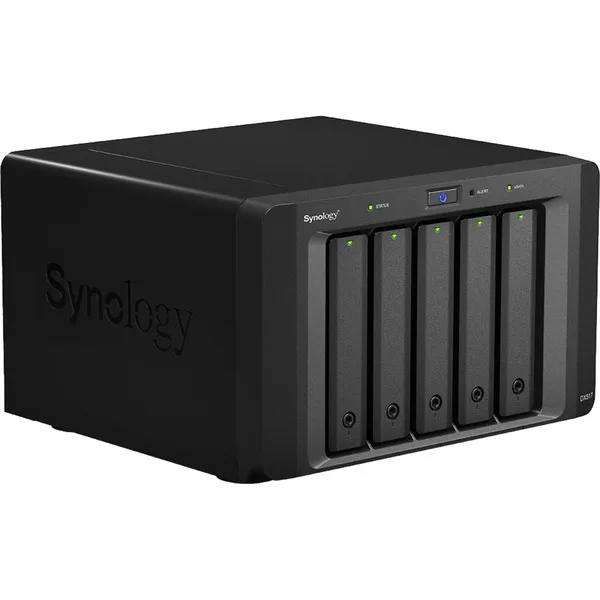
For a DS1817+ or DS1517+ needing five extra bays, choose the DX517 with its eSATA connection.8
For an RS10613xs+ that needs twelve bays and redundant power, choose the RX1213sas; its dual SAS connection supports link redundancy.10
Buying advice
6 models / at a glance
Key differences
Compare the options
6 products
Narrow your options
Reset requirements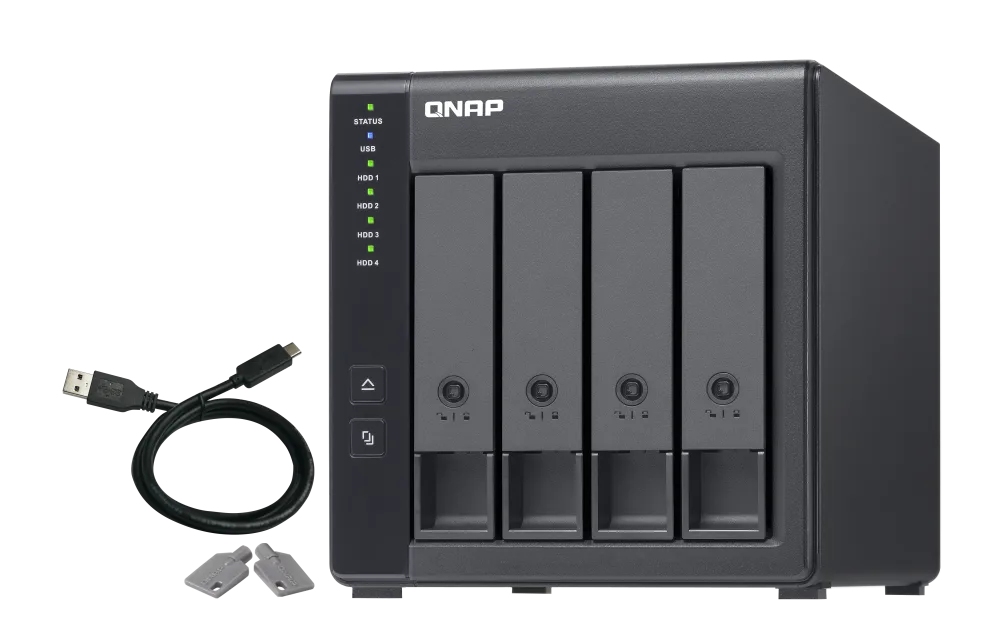
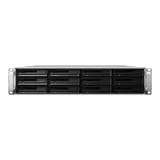
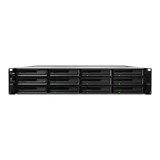
Compare models side by side
Choose two or three products to compare.
Models in this comparison
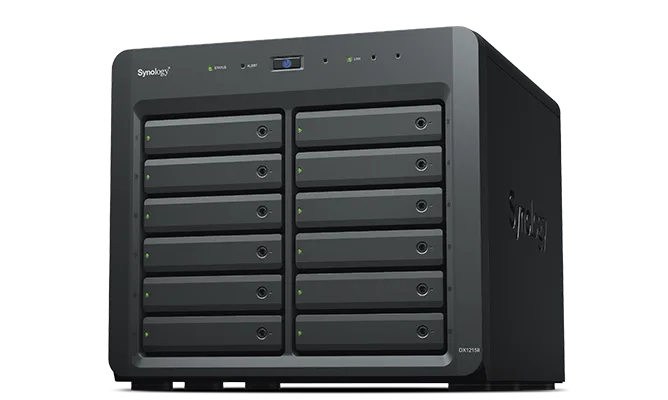
Synology DX1215II
- Drive bays
- 12 bays2
QNAP TR-004
- Drive bays
- 4 bays4
Synology DX213
- Drive bays
- 2 bays5
Synology DX517
- Drive bays
- 5 bays8
Synology RX1213sas
- Drive bays
- 12 bays10
Synology RX1214
- Drive bays
- 12 bays12
Every specification for these products
| Specification | Synology DX1215II | QNAP TR-004 | Synology DX213 | Synology DX517 | Synology RX1213sas | Synology RX1214 |
|---|---|---|---|---|---|---|
| Compatible NAS models | FS series:FS1018 19 series:DS2419+II, DS2419+ 18 series:DS3018xs 17 series:DS3617xsII, DS3617xs 15 series:DS3615xs, DS2415+, DS2015xs 13 series:DS2413+ 12 series:DS3612xs 11 series:DS3611xs, DS2411+ (Environment: DSM version requirement: 6.2.4-25556 or later version.)1 | Not published | Cross-volume models: DS1815+, DS1813+, DS1812+, DS1515+, DS1513+, DS1512+, DS1511+, DS1010+, DS713+, DS712+, DS710+ Independent-volume models: DS415+, DS413, DS412+, DS214+, DS214play, DS213+, DS212+, DS114, DS112+, DS1125 | Synology DiskStation Servers: DS1817+ DS1517+8 | RS10613xs+10 | RS2414+/RS2414RP+12 |
| Drive bays | 12 bays2 | 4 bays4 | 2 bays5 | 5 bays8 | 12 bays10 | 12 bays12 |
| Form factor | Desktop tower3 | Not published | Not published | Desktop tower7 | Rackmount6 | Rackmount6 |
| Host connection | Infiniband expansion cable3 | USB (Host: The TR-004 does not support the following: the TS-128, TS-228, TS-131, TS-231, TS-431, TS-431U, and NAS models that cannot be updated to QTS 4.3.6 (or later).; Protocol: USB 3.2 Gen 1 (5Gbps))4 | Sata expansion cable (Host: Use only listed compatible Synology DiskStation models; cross-volume and independent-volume behavior differ by host. DSM 4.0-2240 or above.)5 | Sata expansion cable8 | Sas expansion cable (Host: Synology RS10613xs+; dual SAS cables provide connection redundancy.)10 | Infiniband expansion cable (Environment: DSM needs to be upgraded to version 4.2 or above.)11 |
| Built-in RAID | Not published | Yes4 | Not published | Not published | Not published | Not published |
| Hot-swap bays | Yes3 | Not published | No6 | Yes9 | Yes10 | Yes12 |
| Redundant power supply | Not published | Not published | Not published | Not published | Yes10 | No12 |
| Warranty | 5 years (Duration: The warranty period starts from the date of purchase as stated on your purchase receipt.)3 | 2 years (Duration: If needed, you can purchase a warranty extension that increases your coverage up to 5 years.)4 | 2 years14 | 3 years9 | 5 years10 | 5 years12 |
| Idle power-down | Not published | Not published | Yes6 | Not published | No6 | Yes12 |
Find the right fit
Reset requirements
6 products
QNAP TR-004
- Form factor
- Not published
- Host connection
- USB (Host: The TR-004 does not support the following: the TS-128, TS-228, TS-131, TS-231, TS-431, TS-431U, and NAS models that cannot be updated to QTS 4.3.6 (or later).; Protocol: USB 3.2 Gen 1 (5Gbps))4
- Hot-swap bays
- Not published
- Idle power-down
- Not published
How they compare
Scroll the table to see every product and specification.
| Specification | Our pickSynology DX1215II | QNAP TR-004 | Synology DX213 | Synology DX517 | Synology RX1213sas | Synology RX1214 |
|---|---|---|---|---|---|---|
| Compatible NAS models | FS series:FS1018 19 series:DS2419+II, DS2419+ 18 series:DS3018xs 17 series:DS3617xsII, DS3617xs 15 series:DS3615xs, DS2415+, DS2015xs 13 series:DS2413+ 12 series:DS3612xs 11 series:DS3611xs, DS2411+ (Environment: DSM version requirement: 6.2.4-25556 or later version.)1 | Not published | Cross-volume models: DS1815+, DS1813+, DS1812+, DS1515+, DS1513+, DS1512+, DS1511+, DS1010+, DS713+, DS712+, DS710+ Independent-volume models: DS415+, DS413, DS412+, DS214+, DS214play, DS213+, DS212+, DS114, DS112+, DS1125 | Synology DiskStation Servers: DS1817+ DS1517+8 | RS10613xs+10 | RS2414+/RS2414RP+12 |
| Drive bays | 12 bays2 | 4 bays4 | 2 bays5 | 5 bays8 | 12 bays10 | 12 bays12 |
| Form factor | Desktop tower3 | Not published | Not published | Desktop tower7 | Rackmount6 | Rackmount6 |
| Host connection | Infiniband expansion cable3 | USB (Host: The TR-004 does not support the following: the TS-128, TS-228, TS-131, TS-231, TS-431, TS-431U, and NAS models that cannot be updated to QTS 4.3.6 (or later).; Protocol: USB 3.2 Gen 1 (5Gbps))4 | Sata expansion cable (Host: Use only listed compatible Synology DiskStation models; cross-volume and independent-volume behavior differ by host. DSM 4.0-2240 or above.)5 | Sata expansion cable8 | Sas expansion cable (Host: Synology RS10613xs+; dual SAS cables provide connection redundancy.)10 | Infiniband expansion cable (Environment: DSM needs to be upgraded to version 4.2 or above.)11 |
| Built-in RAID | Not published | Yes4 | Not published | Not published | Not published | Not published |
| Hot-swap bays | Yes3 | Not published | No6 | Yes9 | Yes10 | Yes12 |
| Redundant power supply | Not published | Not published | Not published | Not published | Yes10 | No12 |
| Warranty | 5 years (Duration: The warranty period starts from the date of purchase as stated on your purchase receipt.)3 | 2 years (Duration: If needed, you can purchase a warranty extension that increases your coverage up to 5 years.)4 | 2 years14 | 3 years9 | 5 years10 | 5 years12 |
| Idle power-down | Not published | Not published | Yes6 | Not published | No6 | Yes12 |
Sources
- global.download.synology.com
- www.morele.net
- global.download.synology.com
- www.qnap.com
- global.download.synology.com
- www.storagereview.com
- www.computerbase.de
- www.compsource.com
- global.download.synology.com
- global.download.synology.com
- global.download.synology.com
- global.download.synology.com
- www.servethehome.com
- global.download.synology.com